How To Connect Sonos Speakers: A Simple Step-By-Step Guide
Learn how to connect Sonos speakers in just a few easy steps—from first-time setup to multi-room grouping and TV integration. This guide covers everything you need, including the latest models like the Era 300, Beam Gen 2, and Arc Ultra.
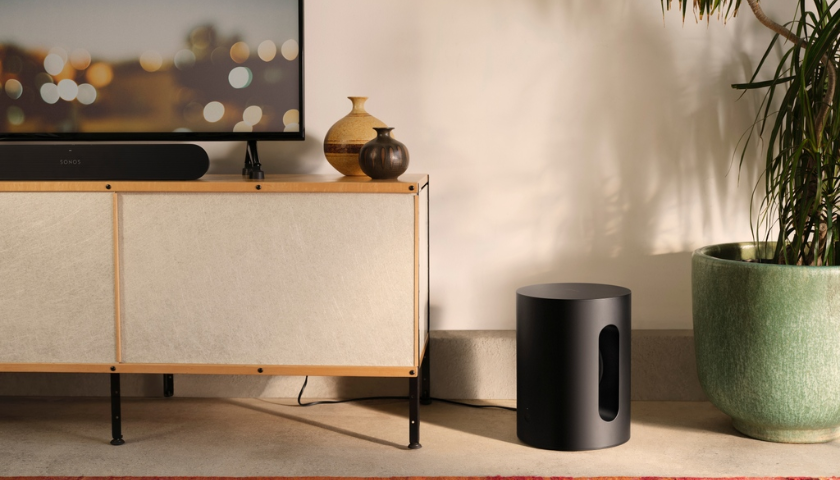
Sonos speakers are known for their superior sound quality, sleek design, and seamless integration across rooms. Whether you’re setting up your first speaker or creating a whole-home audio experience, this guide walks you through how to connect Sonos speakers quickly and easily.
Ready to upgrade your setup? Explore the full range of Sonos speakers at ListenUp.
Step 1: Download the Sonos App
Before anything else, download the Sonos app—available on both iOS and Android. This app is the command center for managing, connecting, and customizing your Sonos speakers. From adding new devices to adjusting sound settings, it all starts here.
Step 2: Plug In Your Sonos Speaker
After installing the app, it's time to power up your speaker. Each Sonos model is designed for different use cases, and here’s how to get started with some of the most popular models:
Ideal for: Kitchens, offices, personal spaces
-
Plug into a power outlet
-
Once the LED blinks green, it’s ready for setup via the app
-
A compact design with stereo sound that’s perfect for everyday listening
Ideal for: Spatial audio, immersive music experiences
-
Connect to power and follow app instructions
-
Features six drivers for room-filling, multidimensional sound
-
Perfect for Dolby Atmos content when paired with compatible gear
Ideal for: Enhancing TV audio in small to mid-sized rooms
-
Plug into a power outlet and connect to your TV using HDMI ARC or eARC
-
Set up through the app, including voice assistant and remote pairing
Ideal for: High-fidelity stereo in large spaces
-
Plug in and position horizontally for stereo or vertically when paired
-
Delivers deep bass and a wide soundstage for audiophiles
Ideal for: Portability, indoor and outdoor use
-
Plug in with USB-C (or charging base for Move 2)
-
Set up via Wi-Fi in the app, then switch to Bluetooth on the go
Step 3: Connect to Wi-Fi
With your speaker powered up, the next step is to bring it online:
-
Open the Sonos app
-
Tap Set up a new system
-
Choose Standard Setup
-
Follow the in-app prompts to connect to your home Wi-Fi network
A stable Wi-Fi connection ensures uninterrupted streaming and easy control across all your Sonos devices.
Step 4: Add More Speakers (Group Them)
Want synchronized sound in multiple rooms? Here’s how to group Sonos speakers:
-
Open the Rooms tab in the Sonos app
-
Tap the speaker you want to group
-
Select Group and choose the other speakers you want to include
Whether you're hosting a party or just moving from room to room, grouped speakers provide a seamless listening experience.
Step 5: Connect to Your TV
Transform your living room with a full Sonos home theater setup. Here’s how to connect popular models:
Best for: Premium Dolby Atmos home theater
-
Connect to your TV via HDMI eARC
-
Use the app to fine-tune audio and calibrate Trueplay
-
For a cinematic setup, pair with Sub Gen 4 and Era 300s for rear surround sound
Best for: Small to medium rooms
-
Connect via HDMI ARC or eARC
-
Supports Dolby Atmos with compatible TVs
-
Simple setup through the Sonos app
Best for: Bedrooms, compact entertainment spaces
-
Connect with an optical audio cable
-
Control with your TV remote and customize sound settings in the app
Add-on for: Bass enhancement with Arc, Beam, or Ray
-
Connects wirelessly via the app
-
Calibrates automatically to boost low-end response
Best for: Private Dolby Atmos listening
-
Expected to connect via Bluetooth or Wi-Fi
-
Spatial audio and head tracking features for immersive sound
-
Ideal for late-night viewing without disturbing others
Troubleshooting Tip: Reset Your Sonos Speaker
If you’re encountering issues or plan to give away your speaker, here’s how to reset Sonos speakers:
-
Unplug the speaker
-
Hold the Join button (∞ symbol)
-
Plug the speaker back in while holding the button
-
Release when the LED flashes orange and white
Resetting removes the speaker from your system and restores it to factory settings.
Are Sonos Speakers Worth It?
Absolutely. With seamless wireless connectivity, outstanding sound quality, and support for modern formats like Dolby Atmos and spatial audio, Sonos speakers offer unmatched performance. Whether you’re setting up a single room or a full home theater, the Sonos ecosystem is flexible, powerful, and built to scale.
Ready to elevate your audio experience? Browse the latest models at ListenUp and find the perfect Sonos speaker for your space. To check out more of the best hi-fi gear, visit one of our showrooms or chat with us online to learn more.